
Design crochet & knit patterns without the busywork
Draw stitch charts, upload your handwritten patterns, get automatic stitch counts, catch errors before they cost you hours, and export polished PDFs — all in one place.
No credit card required · Free forever for basic features
Runs in your web browser on Windows or Mac · Nothing to install
Your Pattern, Your Style
Write patterns the way that works for you
Start from a blank canvas, upload your handwritten notes, or choose from table and written formats — then customize fonts, colors, and layout to match your style.
 Photo 3

Built for the way you actually write patterns
NodeStitch handles the tedious parts so you can focus on the creative ones.
Stitch Charts
Draw charts for knitting and crochet: colorwork, lace, cables, filet, crochet symbol diagrams and more. Every editing tool is free, from fill and mirror to repeat boxes, and a photo can become a chart in a few clicks. The chart sits right in your pattern, and with Pro, NodeStitch writes out every row for you, linked to the chart.
Upload Handwritten Patterns
Snap a photo and NodeStitch lays it out on the canvas in the format you pick. No retyping.
Automatic Stitch Counter
The stitch counter works out every round's stitch count, fills in the ones that are missing, and suggests a fix where a count you wrote doesn't match. You choose what to apply.
Pattern Review
Added your own stitch counts? Run a pattern review and catch mistakes before your pattern goes out into the world. No more frogging because of a miscounted row.
Auto-Numbering for Photos
Patterns need lots of photos, and inserting one in the middle usually means renumbering everything after it. NodeStitch handles the renumbering automatically so you don't have to.
Personalized Pattern Style
Customize your workspace to match how you write patterns — table format, written format, or your own preferred layout. Choose from 50 fonts on the free plan, or all 201 with Pro, to make your patterns truly yours.
Export to PDF
When your pattern is ready, download a beautifully formatted PDF that's ready to print, sell on your shop, or share with your crafting community. Free PDFs carry a small NodeStitch mark in the corner; Pro exports are clean.
How it works
From notebook to finished pattern
Upload Your Pattern or Start Fresh
Snap a photo of your handwritten notes, choose how you want it laid out, and it lands on the canvas — or skip the paper and write your pattern directly in the editor.
Review & Perfect
It works out your stitch counts and flags what does not add up, and nothing changes until you accept it. Add photos and customize the layout to your style.
Export & Share
Download a beautifully formatted PDF, ready to print, sell in your shop, or share with your crafting community.
Start free, upgrade when you're ready
Write and perfect your patterns for free. Unlock smart tools and exports when you're ready to level up.
Free
$0/mo
- Three free tries of pattern upload, stitch counts, and pattern review
- Unlimited projects
- Write patterns directly in the editor
- Stitch charts for knitting and crochet, up to 300 x 300
- Customize your pattern style (table, written format, etc.)
- Auto photo numbering
- 50 fonts
- PDF export, with a small NodeStitch mark
- 1.0 GB of photo storage
Pro
$8.25/mo
$99/year · Save 17% vs monthly
- Everything in Free
- Upload handwritten patternsSnap a photo of your handwritten pattern and it appears on the canvas
- Automatic stitch counterReads your pattern and calculates stitch counts for every round
- Pattern reviewCatches stitch count errors, math issues, and terminology inconsistencies
- Smart EditDescribe a change to your text or its styling in plain English and it is made across the pattern
- Background removal for photosClean up your project photos with one click
- PDF export without the NodeStitch markClean, print-ready pages, ready to sell
- All 201 fontsFree accounts choose from 50; Pro gets every font, on the page and in the PDF
- Priority supportUnlimited Chat Assistant support
- Version historyGo back to how your pattern looked yesterday or last week
- Stitch charts up to 1,000 x 1,000Free charts go up to 300 x 300; Pro charts go to 1,000 x 1,000
- Written instructions from a chartEvery row of your chart written out, with repeats, and linked to your pattern
- Custom chart stitches and special gridsYour own stitch symbols, and corner to corner, brioche, mosaic, Tunisian and punch card charts
- AI help for photo chartsClean color areas and kept details when a photo becomes a chart
- 20.0 GB of photo storageRoom for every photo in every pattern you write
Why I built this

Hi, I'm Ali. I've been crocheting since I was about 8, but I didn't start designing my own patterns until 2023.
I really underestimated how much work it would be, and what made it harder was that none of the software I tried could handle the small things. My patterns have a lot of photos, so realizing I'd forgotten one somewhere in the middle meant renumbering everything by hand. Checking my stitch counts was its own painstaking process. And anything I drafted on paper had to be retyped from scratch.
I started in PowerPoint, then moved to Canva. Neither could do the little things I needed. So I built NodeStitch.
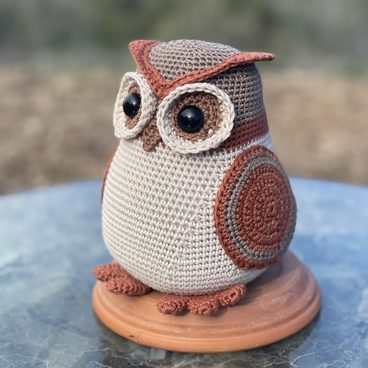
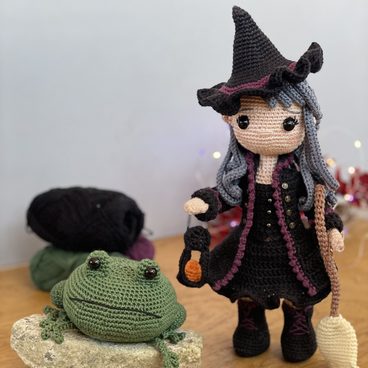
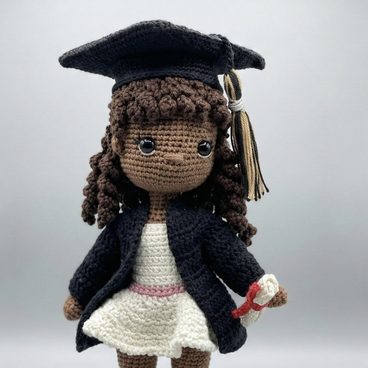
These are all my own patterns, from my shop Amanita Crochet.
Your patterns deserve more than a notebook
The pattern is the creative part. NodeStitch handles everything after it.
Get the NodeStitch newsletter
Once, maybe twice a month: what's new in the app, notes on writing patterns, and the occasional free pattern. Unsubscribe any time.